
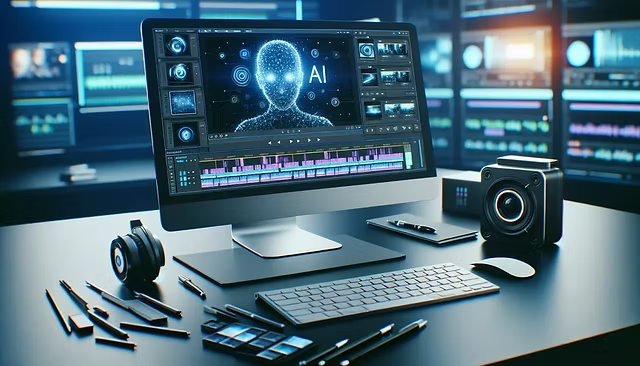
Artificial intelligence has rapidly transformed the way developers write, review, and deploy code. Tools powered by large language models can now generate entire functions, refactor complex systems, and even suggest architectural improvements. Yet, as powerful as these tools are, they often operate in text-heavy, linear interfaces that can limit clarity and control. This is where visual editors come in—and why platforms like Nimbalyst are becoming increasingly important in modern development workflows.
The Shift Toward AI-Driven Coding
AI coding assistants have evolved from simple autocomplete tools into full-fledged collaborators. Developers now rely on AI to:
- Generate boilerplate code
- Debug errors
- Suggest optimizations
- Translate code across languages
- Build entire features from prompts
However, as the complexity of generated code increases, so does the need for better ways to visualize, manage, and review these outputs. Reading long blocks of AI-generated code in a standard editor can quickly become overwhelming, especially when multiple changes are involved.
The Problem with Traditional Interfaces
Most AI coding tools still rely on conventional text editors or chat-based interfaces. While functional, these formats present several challenges:
- Lack of context: It’s hard to see how changes affect the overall system.
- Poor comparison tools: Reviewing multiple versions or diffs can be tedious.
- Cognitive overload: Large code outputs require intense focus and manual parsing.
- Limited collaboration: Sharing and reviewing AI-generated changes across teams is not always seamless.
These limitations can slow down development instead of accelerating it—defeating the purpose of AI assistance.
What Are Visual Editors in AI Development?
Visual editors are interfaces that allow developers to interact with code and AI outputs in a more structured, graphical, and intuitive way. Instead of just reading lines of code, users can:
- View changes side-by-side
- Track version history visually
- Break down code into components or modules
- Highlight dependencies and relationships
- Interact with AI suggestions in a controlled environment
Platforms like Nimbalyst are designed specifically to bridge the gap between AI-generated outputs and human understanding.
Enhancing Code Clarity and Readability
One of the biggest advantages of visual editors is improved clarity. Rather than scrolling through dense text, developers can:
- Focus on specific sections of code
- Collapse or expand components
- Highlight key changes instantly
This makes it significantly easier to understand what the AI has generated and whether it aligns with project requirements.
For example, when AI produces a large refactor, a visual interface can show exactly what changed and why—without forcing the developer to manually compare every line.
Better Control Over AI-Generated Changes
AI is powerful, but it’s not perfect. Developers still need to validate, edit, and refine outputs. Visual editors provide greater control by allowing users to:
- Accept or reject changes selectively
- Modify specific sections without affecting the whole file
- Track incremental updates
With Nimbalyst, developers can review AI-generated code in a structured way, ensuring that nothing slips through unnoticed. This level of control is crucial, especially in production environments where even small errors can have significant consequences.
Streamlined Collaboration Across Teams
Modern development is rarely a solo activity. Teams need to collaborate, review code, and maintain consistency across projects. Visual editors make this easier by:
- Providing shared views of code changes
- Enabling real-time feedback
- Simplifying onboarding for non-technical stakeholders
Product managers, for instance, can better understand what AI-generated code is doing when it’s presented visually rather than as raw text. This bridges the gap between technical and non-technical team members.
Improved Workflow Efficiency
Efficiency is the ultimate goal of AI-assisted development. Visual editors contribute to this by:
- Reducing time spent on manual reviews
- Minimizing errors through clearer insights
- Allowing faster iteration cycles
Instead of going back and forth between prompts and code, developers can interact with AI outputs in a more dynamic way. Tools like Nimbalyst help streamline this process, making workflows smoother and more intuitive.
Supporting Complex Projects
As projects grow in size and complexity, managing AI-generated code becomes more challenging. Visual editors provide the structure needed to handle this complexity by:
- Organizing code into manageable components
- Visualizing dependencies between modules
- Highlighting potential conflicts or issues
This is particularly valuable for large teams or enterprise-level applications, where maintaining clarity is critical.
Reducing Cognitive Load
AI can generate a massive amount of information in seconds. While impressive, this can also overwhelm developers. Visual editors help reduce cognitive load by:
- Presenting information in digestible formats
- Allowing users to focus only on relevant sections
- Eliminating unnecessary clutter
This leads to better decision-making and fewer mistakes, ultimately improving the quality of the final product.
The Role of Nimbalyst in Modern Development
Nimbalyst stands out as a solution that brings visual clarity to AI-assisted coding. By offering a structured workspace for reviewing and managing AI-generated code, it addresses many of the limitations found in traditional tools.
With Nimbalyst, developers can:
- Visualize AI outputs more effectively
- Maintain control over code changes
- Collaborate seamlessly with team members
- Improve overall productivity
As AI continues to play a larger role in software development, tools like Nimbalyst will become essential rather than optional.
The Future of AI-Assisted Development
The future of coding is not just about smarter AI—it’s about better interfaces. Visual editors represent the next step in this evolution, enabling developers to fully harness the power of AI without sacrificing control or clarity.
We can expect to see:
- More advanced visual workflows
- Deeper integration with AI models
- Enhanced collaboration features
- Greater customization for different development needs
As these tools evolve, they will redefine how developers interact with code and AI systems.
Conclusion
AI-assisted development has unlocked new levels of speed and efficiency, but it also introduces challenges that traditional interfaces struggle to address. Visual editors provide the missing layer—turning complex AI outputs into manageable, understandable, and actionable insights.
By improving clarity, control, and collaboration, platforms like Nimbalyst are reshaping the development experience. For developers and product managers alike, adopting visual tools is no longer just an advantage—it’s becoming a necessity in the age of AI-driven coding.


